Resources
Report by House Committee on Education and the Workforce Democratic Staff (Jan 2014). A Staff Report Summarizing eForum Responses on the Working Conditions of Contingent Faculty in Higher Education
June 2012 report by the Coalition on the Academic Workforce. A Portrait of Part-Time Faculty Members: A Summary of Findings on Part-Time Faculty Respondents to the Coalition on the Academic Workforce Survey of Contingent Faculty Members and Instructors. Not a representative sample but provides helpful data on adjunct conditions.
Documentary by Barbara Wolf. Looks at the working conditions of adjunct faculty in the U.S. Includes first-hand accounts from faculty and administrators.
PBS Newshour broadcast with Gwen Ifill. Discusses the increased use of part-time adjunct faculty in U.S. colleges and universities.
Chronicle of Higher Education article by Rebecca Schuman. Questions the notion of a teaching “calling” or “vocation.”
Inside Higher Ed article by Charles Mathewes. Distinguishes and explores tensions between job, career, vocation, and life.
Chronicle of Higher Education article by Julie Miller Vick and Jennifer S. Furlong. Argues that the Joseph Campbell “follow your bliss” notion has been damaging to those seeking academic careers. Highlights difficulties in obtaining a tenure-track position and offers considerations for seeking non-academic positions.

Click Here for Book Review Abstract: More people than ever are going to graduate school to seek a PhD these days. When they get there, they discover a bewildering environment: a rapid immersion in their discipline, a keen competition for resources, and uncertain options for their future, whether inside or outside of academia. Life with a PhD can begin to resemble an unsolvable maze. In Behind the Academic Curtain, Frank F. Furstenberg offers a clear and user-friendly map to this maze. Drawing on decades of experience in academia, he provides a comprehensive, empirically grounded, and, most important of all, practical guide to academic life. While the greatest anxieties for PhD candidates and postgrads are often centered on getting that tenure-track dream job, each stage of an academic career poses a series of distinctive problems. Furstenberg divides these stages into five chapters that cover the entire trajectory of an academic life, including how to make use of a PhD outside of academia. From finding the right job to earning tenure, from managing teaching loads to conducting research, from working on committees to easing into retirement, he illuminates all the challenges and opportunities an academic can expect to encounter. Each chapter is designed for easy consultation, with copious signposts, helpful suggestions, and a bevy of questions that all academics should ask themselves throughout their career, whether at a major university, junior college, or a nonacademic organization. An honest and up-to-date portrayal of how this life really works, Behind the Academic Curtain is an essential companion for any scholar, at any stage of his or her career. (From the Publisher)
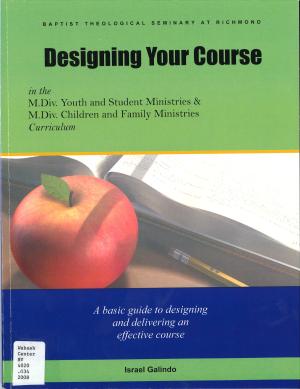
This guide will help you design your course in the Children and Family Ministry and the Youth and Student Ministry M.Div. concentrations at Baptist Theological Seminary at Richmond. Using two proven educational frameworks for course design you will be able to create a powerful course that will facilitate a meaningful learning experience for your students, and a rewarding teaching adventure for you. Using the frameworks of Understanding by Design (Wiggins and McTighe) and the learning principles of that classic educational theory of Constructivism you will be able to design a course that: Is student-centered Applies theory to practice Is experiental Leads toward self-understanding Is congregationally focused (From the Publisher)
Article by James M. Lang in the Chronicle of Higher Education. Suggestions ways to create a teaching philosophy that will be remembered by a search committee or a tenure and promotion committee. Recommends: thinking about end goals; distinguishing general and specialized courses; giving specific examples; and citing influential sources.
Wabash Center Staff Contact
Sarah Farmer, Ph.D.
Associate Director
Wabash Center
farmers@wabash.edu